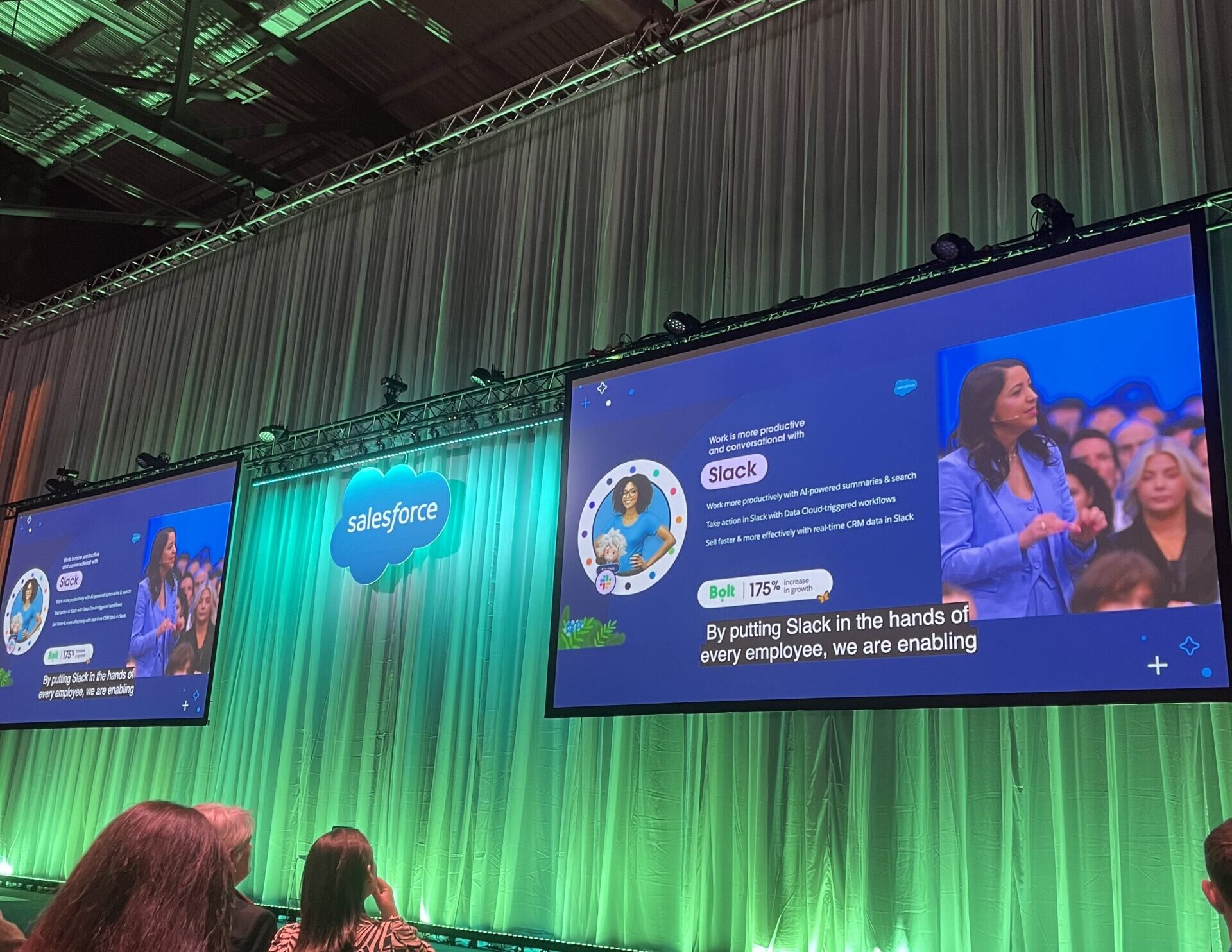
Claudeforce: 37 ways to start, and a much bigger picture ahead

Claudeforce explained

Product information checked against Salesforce and Anthropic sources on 29 October 2026. Salesforce in Claude is in beta, so availability and capabilities can change.

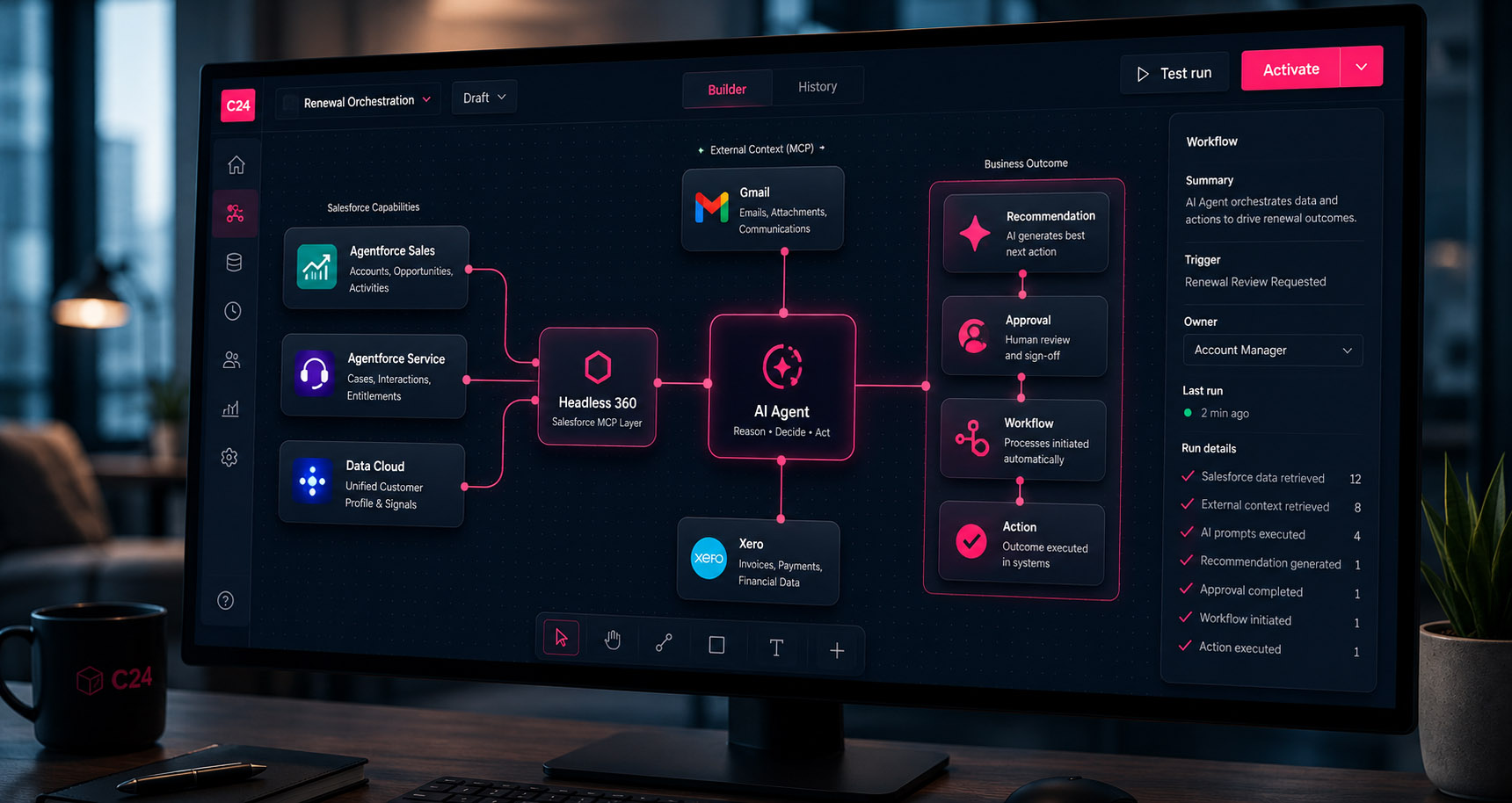
Claudeforce points to a significant shift in business software: the AI assistant could become the place where people get work done, with platforms such as Salesforce providing the data, workflows, and controls behind it. Salesforce’s Claudeforce page

Salesforce’s partnership with Anthropic sits alongside its investment in Agentforce. Agentforce provides tools for building and running AI agents around business processes, and Claude is one of the reasoning models available to power them. The partnership also works in the other direction, bringing Salesforce information and capabilities directly into Claude. Salesforce’s partnership announcement

For Salesforce, that extends where its platform can be used. For businesses, it opens the possibility of working across customer records, conversations, and processes through a familiar AI interface. The first release starts with 37 sales skills. The roadmap reaches into customer service, marketing, commerce, and beyond, which makes those skills an early indication of how this could change work across the business. Salesforce’s Claudeforce page, Anthropic’s announcement

The basics

What is Claudeforce?

Claudeforce is the partnership between Salesforce and Anthropic, the company behind Claude. The first packaged product is Salesforce in Claude, a plugin for sellers and revenue teams that brings Salesforce information and sales workflows into Claude. Salesforce Help: about Claudeforce

You ask for an outcome in ordinary language: prepare me for a call, review this opportunity, or explain what changed in my pipeline. Claude uses the connected information and the relevant skill to assemble its response. Salesforce remains the system where customer records are held. Anthropic’s announcement, Salesforce Help: how skills work

37Sales skillsPrebuilt instructions for jobs such as call preparation, deal reviews, and renewals.
2ConnectorsSalesforce and Slack. Email, calendar, and other sources add context where connected.
1Guided setupAn onboarding step that tailors the plugin to each user’s role and accounts.

Installing the plugin does not automatically give it access to every system. Anthropic Help: using Salesforce in Claude, Anthropic Help: organisation setup

The connection uses MCP, or Model Context Protocol: a standard way for AI tools to access connected services. For the person using it, the useful change is being able to work through a question and its next steps in one conversation. Salesforce Help: about Claudeforce

Where it helps

How could it help your business?

The immediate opportunity is in work that repeatedly involves finding information, interpreting it, and preparing a response.

Better preparation

Before a customer review, an account owner could bring together the relationship history, live opportunities, and outstanding commitments. That gives the meeting a clearer starting point, especially when several colleagues have been involved. Anthropic’s announcement

More useful deal conversations

A pipeline review can focus on why an opportunity might slip, which decision-maker is missing, and what needs to happen next. For an owner managing sales alongside the rest of the business, that could make the weekly review more focused. Anthropic’s announcement

Less friction after a meeting

A transcript or set of notes can become a draft follow-up and an internal recap. The seller checks the commitments and proposed changes while the discussion is still fresh. Anthropic Help: using Salesforce in Claude

Earlier attention to existing customers

Renewal and customer-health skills can help an account owner decide where a conversation is needed before a renewal becomes urgent. The value depends on the quality of the records and the context available. Anthropic Help: using Salesforce in Claude

These are sensible pilot candidates because you can judge the output. Does the briefing include the important issue? Does the follow-up reflect the conversation? Has the review found a risk the team agrees is real? Those questions give a pilot a clear, practical measure of success.

Controls

What can Salesforce in Claude change in your records?

A skill provides instructions for a particular job: which information to use, what to assess, and how to present the result. You can ask naturally, or select a skill with a slash command when you want a specific workflow. Salesforce Help: how skills work

Skills produce three kinds of output, and the difference matters when you plan a rollout.

OutputWhat happensExamples
AnalysisClaude reads the connected information and reports what it finds.Pipeline review, deal signals, customer health
DraftsClaude prepares work for a person to check, then send or save.Call follow-up, outreach emails, close plans
Record changesSix skills can create or update Salesforce records once the relevant write tools are enabled. Existing permissions and validation rules still apply.Update opportunity, log activity, schedule meeting, account plan, assign target to SDR, summarise conversation transcript

That makes the rollout decision practical: choose which jobs to support, what information they need, and which actions users should be allowed to take. For data sent through the MCP connection, the handling terms are governed by your agreement with Anthropic. Salesforce Help: record creation and updates, Salesforce Help: security and data handling

The 37 skills

Explore the 37 skills by the job you need to do

Salesforce’s Claudeforce page presents five benefit-led themes. We have used them to organise this guide: plan your day, work the deal, grow relationships, prepare for meetings, and act with control. The grouping is our editorial choice; Salesforce’s Help reference uses a more detailed category structure. Salesforce’s Claudeforce page, Salesforce Help: skills reference

Choose a theme, then open a skill for what it does, a business use, and an example request. Skills marked Can update records can make changes once write tools are enabled. The examples and preparation notes are C24’s suggestions.

Plan your day. See priorities, pipeline, and the work that needs your attention.

Your morning prioritiesdaily-briefingBring meetings, deal deadlines, and customer replies into one briefing.
What it does
Combines the day’s Salesforce events, opportunities nearing their close date, outstanding commitments, and available unread customer email into a practical rundown.
Business use
A useful starting point for a seller balancing delivery, prospecting, and existing accounts. Treat the briefing as a prioritisation aid and check the underlying records before acting.
Prepare
Current close dates, next steps, and calendar records; email access adds context.

Try asking“What needs my attention today, and which three things should I tackle first?”

Salesforce skill specification
A clearer view of your pipelinepipeline-reviewUnderstand where your own pipeline is strong, thin, or stuck.
What it does
Assesses an individual seller’s open opportunities by stage, coverage, age, and risk, using Salesforce aggregates and supporting deal records.
Business use
Use it ahead of a pipeline meeting to identify the conversations worth having. A full-looking pipeline can still depend on a few uncertain opportunities; this helps focus the review.
Prepare
Accurate opportunity stages and amounts; agreed targets make coverage more meaningful.

Try asking“Review my pipeline for this quarter and flag the deals that need attention.”

Salesforce skill specification
The team pictureteam-pipelineReview the quarter across sellers, with coaching opportunities in view.
What it does
Builds a manager’s view of team opportunities, forecast exposure, and the deals most likely to move the result, with questions for individual sellers.
Business use
Useful when a sales meeting is dominated by status reporting. Let the evidence shape a shorter discussion about decisions, support, and the biggest gaps.
Prepare
Visibility of the relevant users and opportunities; clear team ownership.

Try asking“Review my team’s pipeline and suggest the coaching conversations that matter this week.”

Salesforce skill specification
Explain the forecastforecast-narrativeTurn pipeline figures into a forecast discussion people can follow.
What it does
Drafts an account of the forecast using opportunity totals, important deals, and available field history, including movements, risks, and support needed.
Business use
Useful for leaders who need to explain what changed and why. Check that the narrative distinguishes a customer’s commitment from a seller’s judgement.
Prepare
Consistent forecast categories and a shared definition of commit and best case.

Try asking“Draft my forecast update, explaining the main changes and where I need help.”

Salesforce skill specification
Close the week properlyweekly-wrapCapture progress, setbacks, and what needs carrying into Monday.
What it does
Summarises wins, losses, opportunity movements, and recent activity, drawing on Salesforce and any relevant connected communications.
Business use
Use it to prepare a manager update or spot a commitment that would otherwise disappear over the weekend. It can also give the next team meeting a useful starting point.
Prepare
Recent activity and opportunity records; connected communications improve the picture.

Try asking“Summarise my week and draft an update with priorities for next Monday.”

Salesforce skill specification
Know what is coming upcalendar-eventsSee Salesforce meetings and their associated customer records together.
What it does
Presents Salesforce Event records for a chosen period, including local times, locations, and linked accounts, contacts, or opportunities.
Business use
Handy for planning a busy customer day or checking which meetings need preparation. Its Salesforce event view should not be assumed to contain every appointment in an unconnected calendar.
Prepare
Meetings recorded or synchronised into Salesforce; correct time-zone settings.

Try asking“Show my customer meetings for the next three days, with the associated accounts.”

Salesforce skill specification
Make one-to-ones usefulrep-contextCatch up on a seller’s work before the conversation starts.
What it does
Prepares a manager for a one-to-one using the named rep’s pipeline, activity, and current work, with suggested questions and areas needing support.
Business use
Use the time to discuss a difficult deal, workload, or next move. Treat a low activity count as a question to explore.
Prepare
Correct identification of the internal seller and permission to view their work.

Try asking“Prepare me for my one-to-one with Sam, including where I could help.”

Salesforce skill specification
Find the replies that matterinbox-sweepPrioritise customer email and prepare responses for review.
What it does
Uses unread threads and Salesforce context to build a response queue and draft replies, with writing patterns informed by available sent email.
Business use
Useful when an important customer request is competing with a crowded inbox. Review the proposed reply and check dates, pricing, and promises before sending.
Prepare
An authorised email connection and access to the relevant customer threads.

Try asking“Which customer emails need a response today? Draft replies to the most urgent.”

Salesforce skill specification

Work the deal. Understand the buying decision, find gaps, and prepare the next move.

Test a deal’s healthdeal-reviewLook beyond the headline value and the expected close date.
What it does
Builds a scored assessment from opportunity information, stakeholders, activity, and available communications, with evidence for identified risks.
Business use
Useful before committing a deal to the forecast. A score should lead to specific questions about qualification and buyer intent; it cannot guarantee whether the customer will sign.
Prepare
Agreed qualification criteria, current deal fields, and reliable activity history.

Try asking“Review this opportunity and show the evidence behind its biggest risks.”

Salesforce skill specification
Unstick an opportunitydeal-advance-gapIdentify the missing steps between the current stage and a decision.
What it does
Examines qualification, stakeholders, activity, and stage requirements to suggest blockers, responsible people, and a sequence of next actions.
Business use
Useful when a deal has sat at the same stage for weeks. It can help replace a vague instruction to chase with a concrete conversation about what the buyer still needs.
Prepare
Meaningful stage definitions and clear records of outstanding commitments.

Try asking“What is stopping this deal progressing, and who needs to do what next?”

Salesforce skill specification
Spot changes in deal riskdeal-signalsNotice quiet conversations, slipping dates, and other warning signs.
What it does
Creates a risk digest using close dates, activity, next steps, forecast fields, and available messages or documents.
Business use
Use it to select deals for closer inspection before the next forecast call. A quiet period may have an innocent explanation, so validate the signal with the account owner.
Prepare
Recent activity, maintained close dates, and enough history to understand change.

Try asking“Which deals have developed warning signs since our last review?”

Salesforce skill specification
Work through a missed dealdeal-slip-scenarioUnderstand what happens if an opportunity slips, shrinks, or disappears.
What it does
Models a downside scenario against available pipeline and forecast information, using quota where available to show the shortfall and possible alternatives.
Business use
Useful when the quarter relies heavily on one customer. Explore contingency options early, and weigh how dependable each late-stage opportunity really is.
Prepare
A clear scenario, accurate opportunity values, and the relevant target.

Try asking“If this deal moves into next quarter, what gap does it leave and what could cover it?”

Salesforce skill specification
Build a credible route to signatureclose-planDraft the business case and the steps needed to complete a deal.
What it does
Combines opportunity context and available conversations into a customer-facing case and a dated mutual action plan.
Business use
Useful when procurement, legal, and the buyer’s internal approvals need coordinating. Dates and responsibilities only become a mutual plan once the customer has agreed to them.
Prepare
Known buyer priorities, approval steps, stakeholders, and an evidence-based target date.

Try asking“Draft a close plan covering the customer’s decision, procurement, and remaining approvals.”

Salesforce skill specification
Respond to the real objectionhandle-objectionPrepare a grounded answer to pricing, timing, or competitive pushback.
What it does
Draws on the current opportunity, previous deal outcomes, and approved internal material to suggest a response or talk track.
Business use
Useful when a seller needs more than a generic rebuttal. Check that any proof point, competitive statement, or commercial concession is supported and appropriate for this customer.
Prepare
The objection in the customer’s words and access to approved supporting material.

Try asking“The buyer says the change is too disruptive. Help me prepare a relevant response.”

Salesforce skill specification
See who influences the decisionstakeholder-mapMap relationships and find the gaps in your access.
What it does
Uses contacts, opportunity roles, and available communications to outline influence, sentiment, relationship coverage, and possible introductions.
Business use
Useful when the whole opportunity depends on one friendly contact. Treat inferred influence or sentiment as something to validate, particularly where the buying group is poorly documented.
Prepare
Contact roles, relationship history, and communications that reveal the decision process.

Try asking“Map the buying group and show which important relationships we are missing.”

Salesforce skill specification

Grow relationships. Research prospects, look after customers, and find relevant growth opportunities.

Get the whole account pictureaccount-contextCatch up on an existing customer before the next conversation.
What it does
Builds an account brief from Salesforce records, contacts, and activity, supplemented by relevant connected email, documents, and Slack.
Business use
Useful when taking over an account or covering a colleague. Start with what has already been promised and what remains unresolved, so the customer does not have to repeat their history.
Prepare
A matched account and accessible activity history; optional connectors add context.

Try asking“Bring me up to speed on this account, including open commitments and current opportunities.”

Salesforce skill specification
Research a potential customerresearch-prospectCombine public company research with what your CRM already knows.
What it does
Builds a prospect brief covering company facts, recent developments, possible priorities, contacts, and fit with your ideal customer profile.
Business use
Useful before a first conversation or targeted outreach. Keep confirmed facts separate from suggested buying needs; an expansion announcement does not prove that a prospect wants your product.
Prepare
The correct company identity and a clear description of your ideal customer.

Try asking“Research this company and suggest three informed questions for an introductory call.”

Salesforce skill specification
Give an account a directionaccount-planCan update recordsBring goals, relationships, and growth priorities into a structured plan.
What it does
Retrieves or builds an account plan using Salesforce account, pipeline, activity, and relationship data, including priorities, competition, and measures of success.
Business use
Useful for strategic customers where several people contribute to the relationship. Agree the objectives and owners before treating a generated plan as the team’s operating plan.
Prepare
Account planning capability and relevant data; saving needs enabled write access.

Try asking“Build an account plan around this customer’s priorities and our next six months of work.”

Salesforce skill specification
Focus effort across your accountsaccount-tieringGroup accounts by fit and engagement to guide coverage.
What it does
Ranks a selected account list or wider book using Salesforce fit, engagement, activity, contact, and opportunity information, with suggested actions by tier.
Business use
Useful when a small team cannot give every account the same attention. Review the criteria so the ranking reflects your strategy. Customers with the most complete records will otherwise tend to rise to the top.
Prepare
Agreed fit criteria and sufficiently consistent account and engagement data.

Try asking“Tier my accounts and suggest where I should focus prospecting this month.”

Salesforce skill specification
Find room to grow an accountexpansion-whitespaceExplore relevant products, teams, or use cases beyond the current sale.
What it does
Compares recorded products, contacts, and opportunities with available customer context to suggest and rank possible expansion plays.
Business use
Useful before an account review. The best next conversation should follow an evidenced customer need, with ownership information checked before proposing something the customer already has.
Prepare
Reliable product ownership and opportunity data, plus customer priorities.

Try asking“Where could we help this customer next, and what evidence supports each suggestion?”

Salesforce skill specification
Understand the relationship’s healthcustomer-healthReview engagement, support issues, value, and emerging risks together.
What it does
Assesses account health using available account, renewal, case, task, and health information, supplemented by relevant connected communications.
Business use
Useful before a business review or retention discussion. A healthy sales relationship can still hide unresolved delivery issues; look at the evidence behind any overall rating.
Prepare
Accessible service and renewal information; usable records of customer outcomes.

Try asking“Prepare a customer health review, showing risks, value delivered, and questions we should ask.”

Salesforce skill specification
Get ahead of renewalsrenewal-radarBring approaching renewal dates and relationship risks into view.
What it does
Builds a renewal brief from opportunities and available communications, considering timing, activity, potential uplift, and the next steps to take.
Business use
Useful when renewals are spread across account owners or get attention too late. Confirm contract dates and notice periods against the authoritative agreement before deciding when to act.
Prepare
Renewal opportunities and reliable contract timing; relevant agreements add context.

Try asking“Review next quarter’s renewals and identify which need an early customer conversation.”

Salesforce skill specification
Hear recurring customer feedbackcustomer-voiceBring attributed comments together around a topic or concern.
What it does
Collects customer quotations and themes from available call transcripts and email threads across the relevant Salesforce accounts.
Business use
Useful when deciding whether a pricing objection or product issue is isolated. Check the source and sample: the customers with recorded conversations may not represent the whole customer base.
Prepare
Accessible transcripts or email; a defined topic and relevant account scope.

Try asking“What have customers said about onboarding recently? Group the feedback and show its sources.”

Salesforce skill specification
Decide which leads need attentionlead-triageAssess fit and intent, then recommend a response.
What it does
Uses lead and account data, research, and available engagement to propose an inbound lead’s priority, routing, and next step.
Business use
Useful when response queues are busy. Keep the routing rules explicit and review borderline cases so incomplete information does not automatically bury a potentially valuable enquiry.
Prepare
An agreed ideal customer profile, lead fields, and clear routing rules.

Try asking“Assess this new enquiry and recommend its priority, owner, and next action.”

Salesforce skill specification
Make outreach more relevantdraft-outreachDraft an email grounded in the relationship and the reason for contact.
What it does
Prepares a personalised message using contact, account, opportunity, and activity information, with relevant connected conversations or documents where available.
Business use
Useful for starting or reopening a specific conversation. Review the reason for contacting the person, the evidence, and the tone before sending; personalisation should not introduce invented familiarity.
Prepare
A verified contact, a legitimate reason for outreach, and usable relationship context.

Try asking“Draft a short re-engagement email based on our last conversation and their current priorities.”

Salesforce skill specification

Prepare for meetings. Carry the right context into the conversation and capture what comes out of it.

Walk into the meeting preparedcall-prepSee the people, history, and open questions before a customer call.
What it does
Builds a one-page briefing from meeting, account, opportunity, contact, and activity data, supported by available email, documents, and Slack.
Business use
Useful when preparation means opening several systems and piecing together a story. Ask for unresolved commitments and discovery questions, and keep the account history brief.
Prepare
A clear meeting or account match and current customer records.

Try asking“Prep me for tomorrow’s customer review: attendees, open issues, and the questions we need answered.”

Salesforce skill specification
Turn the conversation into follow-upcall-follow-upPrepare the customer recap and the internal account update.
What it does
Uses a supplied meeting transcript and Salesforce context to draft a customer email and internal summary covering decisions, commitments, questions, and proposed next steps.
Business use
Useful immediately after a call, while the discussion is fresh. Check that the draft distinguishes a tentative suggestion from an agreed customer commitment before sharing it.
Prepare
A usable transcript or meeting notes, matched to the correct account and deal.

Try asking“Use these notes to draft the customer follow-up and an internal recap, with owners and dates.”

Salesforce skill specification
Revisit a recorded customer callsummarize-conversation-transcriptCan update recordsPull decisions and next steps from a Salesforce call transcript.
What it does
Summarises an accessible Salesforce voice or video call transcript, including customer sentiment, decisions, next steps, and related opportunities.
Business use
Useful for catching up on a recorded conversation without replaying the whole meeting. Verify critical wording against the transcript; poor transcription can change the meaning of a commitment.
Prepare
A supported recorded call and accessible transcript; record changes depend on enabled tools.

Try asking“Summarise the latest recorded call on this account and list the agreed next steps.”

Salesforce skill specification
Coordinate the next meetingschedule-meetingCan update recordsFind a suitable time and prepare the invitation and Salesforce event.
What it does
Uses calendar availability and customer records to propose or book a meeting, then log the confirmed event where the necessary connections and write tools are enabled.
Business use
Useful when arranging follow-ups involves repeated calendar checks. Confirm the attendees, time zones, and agenda before any invitation is sent or customer event is created.
Prepare
Calendar access, correct attendee details, and enabled tools for booking and logging.

Try asking“Find time next week for a review with this customer’s project team and prepare the invite.”

Salesforce skill specification

Act with control. Improve the information behind decisions and carry out enabled actions deliberately.

Find the gaps in your CRMsfdc-hygiene-checkIdentify incomplete fields, stale dates, and inconsistent opportunity records.
What it does
Audits open opportunities for weak next steps, missing information, stage mismatches, and relationship gaps, producing a prioritised list of fixes.
Business use
Useful before forecasting or a wider AI pilot. Use it to find which records need attention. Correcting them remains a deliberate step for your team.
Prepare
Agreed expectations for opportunity completeness and permission to view the records.

Try asking“Audit my opportunities and prioritise the data problems that could affect this quarter’s forecast.”

Salesforce skill specification
Learn from completed dealswin-loss-reviewFind patterns in the business you win and the business you lose.
What it does
Analyses closed opportunities and available history or conversations to examine win rates, loss stages, objections, and recurring deal characteristics.
Business use
Useful for improving qualification, messaging, or coaching. Check the sample and recorded loss reasons before assuming a pattern proves why customers made their decisions.
Prepare
Reliable closed-deal data and enough examples for a meaningful comparison.

Try asking“Compare our recent wins and losses and suggest two changes worth testing.”

Salesforce skill specification
Hand a prospect to an Agentforce agentassign-target-to-sdrCan update recordsAssign a chosen lead or contact to an existing nurturing agent.
What it does
Matches the prospect and an active Agentforce engagement or lead-nurturing agent, then supports assignment after confirmation when the required tools are enabled.
Business use
Useful for a defined qualification or outreach hand-off. It works with an agent you already have set up. Your prospecting programme and outreach rules still need defining separately.
Prepare
An active, appropriately configured Agentforce agent and relevant access and entitlements.

Try asking“Prepare to assign this contact to our active lead-nurturing agent and show me the match first.”

Salesforce skill specification
Keep the customer history completelog-activityCan update recordsPrepare a completed activity entry from a call or exchange.
What it does
Turns a summary or transcript into a Salesforce Task associated with matched customer records, with confirmation before saving where writes are enabled.
Business use
Useful when useful customer knowledge stays in personal notes. Check the account, contact, and opportunity match so an accurate summary does not end up on the wrong record.
Prepare
A clear summary and correct record matches; saving needs enabled write tools.

Try asking“Draft an activity log from these notes and show which customer records it will link to.”

Salesforce skill specification
See the interaction historyquery-activity-historyReview what happened on an account, contact, lead, or deal.
What it does
Builds a dated timeline from completed Salesforce Tasks and Events, including the people involved and available notes.
Business use
Useful before chasing an unanswered request or taking over an account. The result reflects recorded activity; conversations that were never logged will still need to be supplied.
Prepare
Activity recorded against the correct records and accessible to the user.

Try asking“Show the last two months of activity on this opportunity, including commitments and follow-up.”

Salesforce skill specification
Find the answer inside your businessfind-internal-answerLocate an internal policy, approved resource, or person who can help.
What it does
Locates an authoritative internal source for a question, using available documents, Slack, email, and Salesforce, favouring current approved material.
Business use
Useful when a customer asks about security, commercial terms, or an unusual requirement. Confirm that the returned document is approved for the purpose and audience before sharing it externally.
Prepare
Connected internal knowledge sources with clear ownership and versioning.

Try asking“Find our current approved answer to this security question and show me the source.”

Salesforce skill specification
Keep drafts sounding like youvoice-profileCreate a reusable guide to your writing style from sent email.
What it does
Identifies patterns such as greetings, sign-offs, tone, structure, and message length in accessible sent email to inform later drafts.
Business use
Useful when generated outreach sounds unlike the person sending it. Review the profile and examples so an old habit or a special-case message does not become the default style.
Prepare
Access to suitable sent-mail examples and a review of the resulting profile.

Try asking“Learn my email style and show the writing profile you would use for future drafts.”

Salesforce skill specification
Apply an agreed opportunity changeupdate-opportunityCan update recordsChange a deal field after checking the record and the proposed edit.
What it does
Supports updates to one opportunity, such as stage, close date, value, or next step, using the org’s available fields and confirming the change before saving.
Business use
Useful after a customer conversation establishes a real change. Keep the proposed field values visible and check the saved result, especially where downstream reporting depends on the field.
Prepare
A write-capable connection, appropriate permissions, and valid required fields.

Try asking“Change this opportunity’s close date to the agreed date and show me the proposed update first.”

Salesforce skill specification
The roadmap

Where could Claudeforce go next?

Salesforce’s roadmap extends well beyond sales. It lists eleven further areas, from Service and Marketing to Tableau, MuleSoft, and Industries, all marked as coming soon. Salesforce’s announcement says additional prebuilt skills will begin launching in late 2026, without a delivery date or full skill list for each area. Salesforce’s Claudeforce page, Salesforce’s partnership announcement

The interesting signal is how the pieces could join up. Service holds the unresolved issue. Commerce holds the order. Revenue holds the commercial rules. Data and integration tools help connect that information. Picture a customer approaching renewal while a service problem remains open: a future workflow might flag the risk, assemble the history, and prepare a coordinated plan for the account and service teams.

Each card gives Salesforce’s published signal first. Open Our view for what it could mean in practice. Our view is informed interpretation; Salesforce has not confirmed these as product features.

Service

Coming soon

Salesforce’s signal

Set up agents automatically from cases and conversations, and improve contact-centre operations.

Our view

A plausible next step is a service manager asking which repeat issues should be handled by an agent, receiving a proposed configuration, then reviewing how it performs. Conversations and case outcomes could become inputs to a regular improvement cycle.

For your business. For a small support team, that could mean less time assembling the evidence for a new self-service journey and more time deciding which problems deserve human attention.

What needs to be in place. Reliable case history, approved knowledge, and clear escalation rules.

Marketing

Coming soon

Salesforce’s signal

Campaigns that adjust themselves, and content built for both agents and people.

Our view

We would expect campaign assistance to connect planning, content, and performance review more closely. A marketer could ask why a campaign is underperforming, explore the customer segments involved, and review suggested changes to the message or journey.

For your business. A business promoting a new service might develop different messages for existing customers and new prospects, then ask what to change as results emerge.

What needs to be in place. Consent, usable audience data, and human control of brand and budget decisions.

Commerce

Coming soon

Salesforce’s signal

Automated storefront creation, site operations, and order management.

Our view

The strongest opportunity may be joining merchandising and operations in one conversation. A commerce manager could investigate a weak-selling product, review its content and availability, and prepare changes alongside an explanation of any fulfilment problems.

For your business. A retailer could move from ’why are customers abandoning this product?’ to a proposed content or operational fix with fewer hand-offs.

What needs to be in place. Connected product, inventory, and order data; publishing and refund permissions.

Revenue

Coming soon

Salesforce’s signal

Optimised pricing and deal structure, and quotes built from voice, text, or PDFs.

Our view

A likely direction is more help turning messy commercial inputs into a reviewable quote. Claude could interpret a customer’s requirements from a document, suggest an appropriate configuration, and surface pricing or approval issues before the seller sends anything.

For your business. A supplier receiving a specification by email could spend less time rekeying requirements and more time resolving exceptions or negotiating the deal.

What needs to be in place. Maintained product and pricing rules, compatibility checks, and approval controls.

Field Service

Coming soon

Salesforce’s signal

Automated scheduling, asset service campaigns, and troubleshooting guided by photos.

Our view

These signals point towards assistance spanning planning and the visit itself. A dispatcher could explore a scheduling disruption, while an engineer could use a photo and the asset history to retrieve a proposed diagnostic sequence for review.

For your business. A maintenance business might prepare a service campaign around affected assets, then equip engineers with more relevant job context before arrival.

What needs to be in place. Accurate asset records, availability, and location data, plus appropriate safety procedures.

Tableau

Coming soon

Salesforce’s signal

Consistent business metric definitions, alerts on key metrics, and publishing back to Tableau.

Our view

We would expect the emphasis to move towards explaining a result and deciding what to investigate. A leader could ask why margin changed, use agreed metric definitions, and explore a view that colleagues can inspect in Tableau.

For your business. A management meeting could start with the factors behind a movement and a shared analysis everyone can inspect.

What needs to be in place. Trusted metric definitions, governed datasets, and access to the relevant detail.

MuleSoft

Coming soon

Salesforce’s signal

Governance for every agent, AI turned into action through MCP, and tracking of AI costs.

Our view

A plausible direction is controlled coordination across several business systems. Claude could help an operator understand which integration or agent action is available, propose the sequence, and expose exceptions, permissions, or costs before it runs.

For your business. An order issue spanning CRM, an ERP, and a delivery platform could be investigated through one request while each system retains its own controls.

What needs to be in place. Supported APIs, explicit action permissions, monitoring, and defined exception handling.

Informatica

Coming soon

Salesforce’s signal

Data access across tools, lower compute and token costs, and governed data.

Our view

The practical opportunity is helping teams understand whether the information behind an answer is usable. Claude could surface a data-quality problem, explain the affected records or processes, and prepare a remediation proposal for a data steward.

For your business. Before expanding an AI workflow, an operations team might identify duplicate supplier records or inconsistent customer fields that would undermine its results.

What needs to be in place. Connected data management, ownership, lineage, and reviewable remediation rules.

Data 360

Coming soon

Salesforce’s signal

Unified data across sources, agents grounded in context, and real-time actions.

Our view

We would expect richer customer context across conversations and actions. A request could combine recent service interactions, purchases, and engagement so that the proposed next step reflects the whole relationship.

For your business. A customer with an unresolved support issue might be flagged for a service conversation before a seller prepares an expansion approach.

What needs to be in place. Identity matching, fresh data, consent, and clear rules on which context may be used.

Headless 360

Coming soon

Salesforce’s signal

Building inside Claude Code, grounding Claude in Salesforce context, and extending Salesforce governance to Claude.

Our view

This points towards more tailored ways to work with Salesforce beyond its usual screens. A business could commission a focused Claude-assisted workflow that reads relevant records and proposes approved actions for a specific role or process.

For your business. A renewals coordinator might use a purpose-built daily workspace that combines risk, customer history, and next actions without navigating several separate views.

What needs to be in place. Defined process boundaries, supported tools, and the same care over testing and access as any implementation.

Industries

Coming soon

Salesforce’s signal

Industry-specific agents and specialised workflows automated across channels.

Our view

The likely value is greater fluency in the records, terminology, and processes of a particular sector. Teams could begin with industry patterns that already fit their sector, then adapt them.

For your business. A membership organisation could explore renewal and service journeys built around member relationships; a regulated firm could explore workflows with more explicit review steps.

What needs to be in place. Confirmed sector coverage, appropriate licences, and validation against the organisation’s own requirements.

The bigger opportunity

Less work between departments

An individual skill can make a task easier. The more significant possibility is reducing the effort needed to move a customer issue or opportunity between people and systems.

Consider a quote that needs checking against a product specification, a delivery constraint, and a customer’s existing agreement. Today, someone often has to find the information, reconcile it, and pass it on. The roadmap suggests a future in which more of that preparation happens within the same working conversation, leaving the team to resolve exceptions and make decisions.

A useful planning question for any business owner: where does work repeatedly stall because the next person lacks the right information? A good answer may point to an improvement worth making now and a stronger use case for future skills.

Getting started

A quick-start preparation guide

You can begin with a small, measurable sales use case while keeping the wider roadmap in view.

  1. Choose one recurring job. Start with meeting preparation, a weekly pipeline review, or post-call follow-up. Write down what a useful result must include, and record how the work is done today.
  2. Confirm access and licensing. Beta access needs Salesforce’s approval. Salesforce’s Help pages call for Claude Enterprise with a direct Anthropic subscription, so access to Claude only through Amazon Bedrock or Google Vertex AI is not enough; Anthropic’s setup page lists all paid plans. Because the two publish different requirements, confirm eligibility for your Salesforce edition and Claude subscription before committing. Salesforce Help: about Claudeforce, Anthropic Help: organisation setup
  3. Check a small set of real records. Review the accounts, opportunities, contacts, and activities the pilot will use. Correct stale dates and missing ownership. AI preparation is much easier to assess when the underlying information is dependable.
  4. Agree the connections and controls. Setup needs a Salesforce administrator and a Claude organisation owner, which can be your own team, a Salesforce partner, or both. Connect only the sources the pilot needs, decide which users and tools to enable, test access as a pilot user, and review the data-handling terms. Anthropic Help: organisation setup, Salesforce Help: security and data handling
  5. Give the work a clear owner. A sales or operations lead should judge whether the output is useful. Whoever manages Salesforce for you should own configuration and access. Agree who checks drafts and who can approve actions before rolling the workflow out.
  6. Run a short comparison. Try the same job across several real examples over two weeks. Compare preparation time, factual accuracy, missing context, and corrections needed. Keep a few agreed example requests so users have a reliable starting point.
  7. Expand from the evidence. If call preparation works, test follow-up. If the pilot exposes weak records, unclear stages, or missing knowledge, fix those before widening the scope. Keep a separate list of future opportunities tied to the roadmap.
Related

Getting Salesforce ready for AI

Claudeforce, like Agentforce, works from the data and processes already in your Salesforce environment. Our Winter ’27 guide covers the Agentforce changes arriving in eligible orgs, and Salesforce Headless 360 explained looks at how AI moves from reading data to completing processes.

For an independent view of how ready your setup is, a Salesforce health check is a sensible place to start, alongside reviews of Salesforce integration and Salesforce security.

Common questions

Claudeforce and Salesforce in Claude: frequently asked questions

What is Claudeforce?

Claudeforce is the partnership between Salesforce and Anthropic, announced on 26 August 2026. It brings Claude into Salesforce products such as Agentforce and Slack, and brings Salesforce data and workflows into Claude. Its first packaged product is Salesforce in Claude, a plugin with 37 prebuilt sales skills. Salesforce’s partnership announcement, Salesforce Help: about Claudeforce

What can Salesforce in Claude do today?

It lets sellers and sales managers ask Claude for work such as call preparation, pipeline reviews, deal risk assessments, and follow-up drafts, using live Salesforce information. Most of the 37 skills analyse information or prepare drafts for review. Six can create or update Salesforce records once the relevant write tools are enabled. Salesforce Help: skills reference, Salesforce Help: record creation and updates

Who can get Salesforce in Claude?

It is in beta, and Salesforce must approve your organisation. Salesforce lists Enterprise, Performance, Unlimited, and Developer Editions, and says Claude Enterprise with direct Anthropic access is required. Anthropic’s setup page lists all paid Claude plans. Check both against your own subscriptions before planning a pilot. Pricing has not been published. Salesforce Help: about Claudeforce, Anthropic Help: organisation setup


Can Claude see Salesforce data our users cannot?

Claude works with the access of the person using it, so existing Salesforce permissions and validation rules still apply. Data sent through the MCP connection is handled under your organisation’s agreement with Anthropic. Salesforce Help: security and data handling

Do we need an in-house Salesforce administrator to set it up?

No. Setup needs someone with Salesforce administrator access and someone with owner access to your Claude organisation. That can be your own team, a Salesforce partner such as C24, or a combination. C24 can run the setup and the pilot for you completely, or support your team while they do it. Anthropic Help: organisation setup

Dan Kurk
Dan Kurk · C24
Dan Kurk writes on Salesforce strategy, AI, and operating models for C24, a Salesforce Partner since 2012 helping SMBs get sustainable value from the platform.
Want help getting started with Claudeforce?
C24 can help you find a worthwhile starting point, assess your Salesforce readiness, and put the right controls and measures around a first rollout. We can run it for you end to end or support your own team, and we can look at where the wider roadmap could fit your operation.
Talk to C24 →
References

Sources & further reading

Share this:

Next Post:


News Archive

2026

2025

November
September
August
July
June
May
April
March
February
January

2024

December
November
October
September
August
July
June
May
April
March
February

2023

November
October
September
August
July
June
May
April
March
January

2022

2021

2020

2019